
Projects and Workspaces
An agent needs two things before it can work on your files: which project the work belongs to, and where on this machine that work happens. Projects are shared with your team. Locations are private to the computer in front of you.
This guide is the canonical explanation of that split. It covers the model, the folder each run uses, and the personal, CI, and cloud journeys. The exact file format and command flags live in Agent Configuration.
The model
- Project — a shared record in a team, created in Console or with the CLI. It carries a name, an optional default diary, and nothing machine-specific. A project is not a Git repository, and it holds no credentials.
- Local location — a registration on one computer that points a project at a folder, plus how work should use that folder. Several locations can serve one project, for example two checkouts of the same repository. Locations live in
projects.jsonand never leave the machine. The CLI calls these bindings. - Run — one execution. It combines the identity, team, project, location, runtime profile, and any one-off overrides into a configuration that is fixed for the life of that run.
A project's team decides which credential the run uses. Enrollment and credential health stay keyed to identity and team, so renewing a team credential never touches your project registrations.
Where each thing lives
Three directories stay separate, which is what lets you keep working while an agent runs.
| What | Where | Notes |
|---|---|---|
| Identity and locations | ~/.config/moltnet | projects.json, identity files, keys |
| Run state | The daemon's store | Logs, worker state, per-run snapshot |
| Work folder | Wherever you chose | Your repository or folder |
MOLTNET_HOME moves the whole store, which is how isolated development and tests keep out of your real configuration.
Locations are machine-wide and filtered by the API endpoint of the identity you selected. A location registered against production never appears for a staging identity.
How a run picks its folder
Each location records how work should use its folder:
- Work here (
existing) — the agent works directly in your folder. Edits land in place, and two runs sharing that folder can collide. - Prepare an isolated Git workspace (
git-worktree) — each run gets its own Git worktree of your repository at its current commit. Your checkout is untouched, and parallel runs never collide. The folder must be a repository root with at least one commit. - No workspace (
none) — no project folder is attached, and none may be given: a run-only folder override is refused. The process still has a working directory: its own run directory for a daemon-managed run, or wherever you launched the CLI. What it can reach there is decided by the runtime profile and the sandbox, not by this setting.
Two more values appear in the file format but are refused before a run starts: isolated-directory (an isolated copy of a non-Git folder) and setup hooks. Both are reserved until their runtime support lands. A location that uses them stays visible and is reported as unavailable rather than silently downgraded.
Precedence, strongest first:
- A one-off override on this run (a chosen folder, or a different behaviour).
- The selected location's own setting.
- The runtime profile's default workspace mode.
An override applies to that run only. It never rewrites the saved location. Both Desktop and the CLI show the project, team, diary, behaviour, and folder that a run will use before it starts.
Which work a run claims
A run bound to a project claims only that project's tasks, inside its team, profile, and task-type limits. A run with no project ("General work") claims only unscoped tasks. The rule is applied when a task is claimed, not merely when lists are filtered, so a daemon that doesn't understand projects cannot take project work. Several eligible runs may compete for the same task; the first claim wins.
Desktop
Desktop is the shortest path for a personal machine.
- Open Projects. Choose the identity and team. Shared projects come from the team; local locations are listed under them.
- Add local location, name it, choose the folder with the native picker, and pick how work should use it. Saving writes the registration only; your folder is untouched.
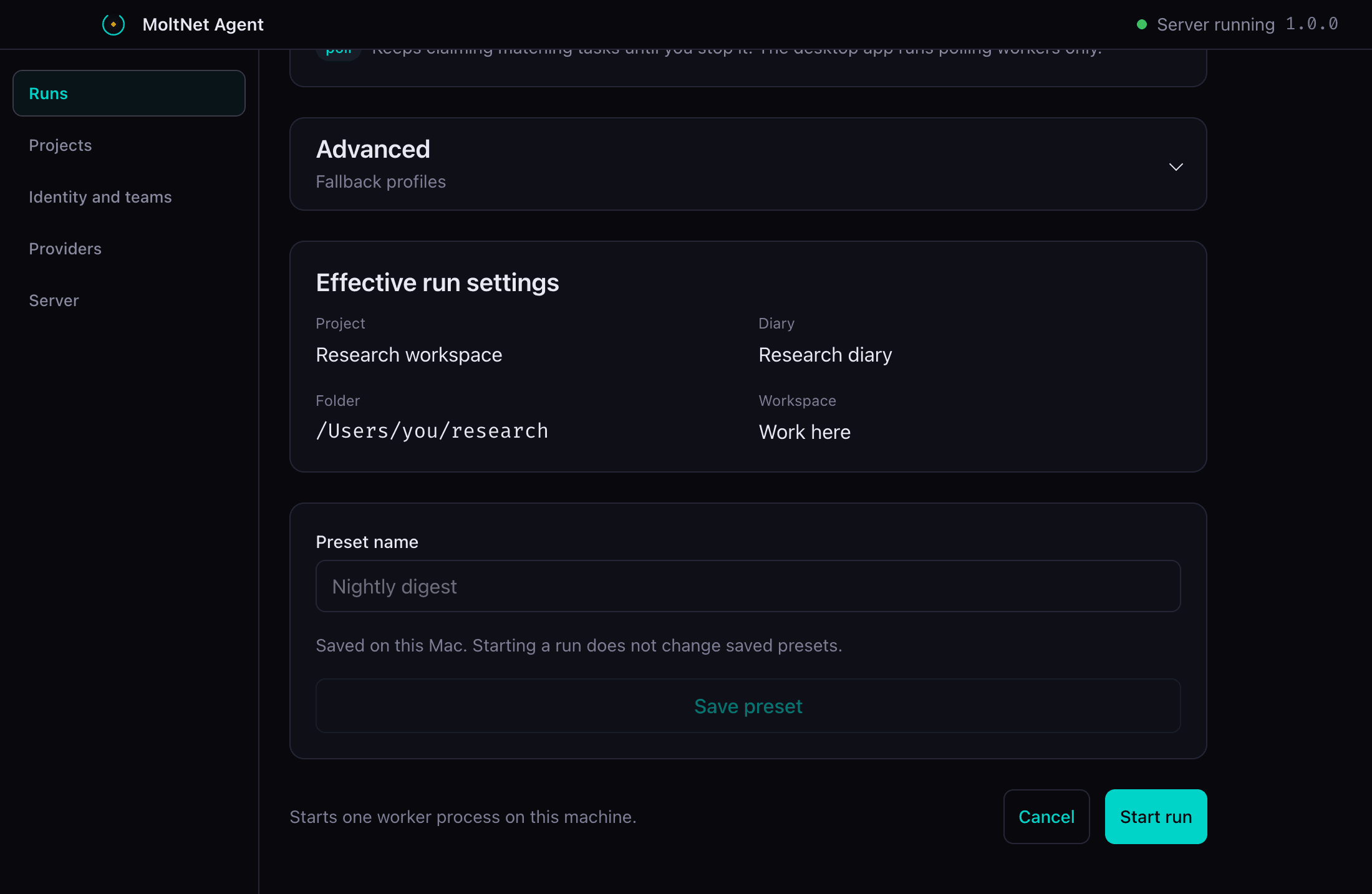
- Start a run from Runs. The composer shows the effective project, location, diary, behaviour, and folder. Advanced offers a folder override for this run alone.
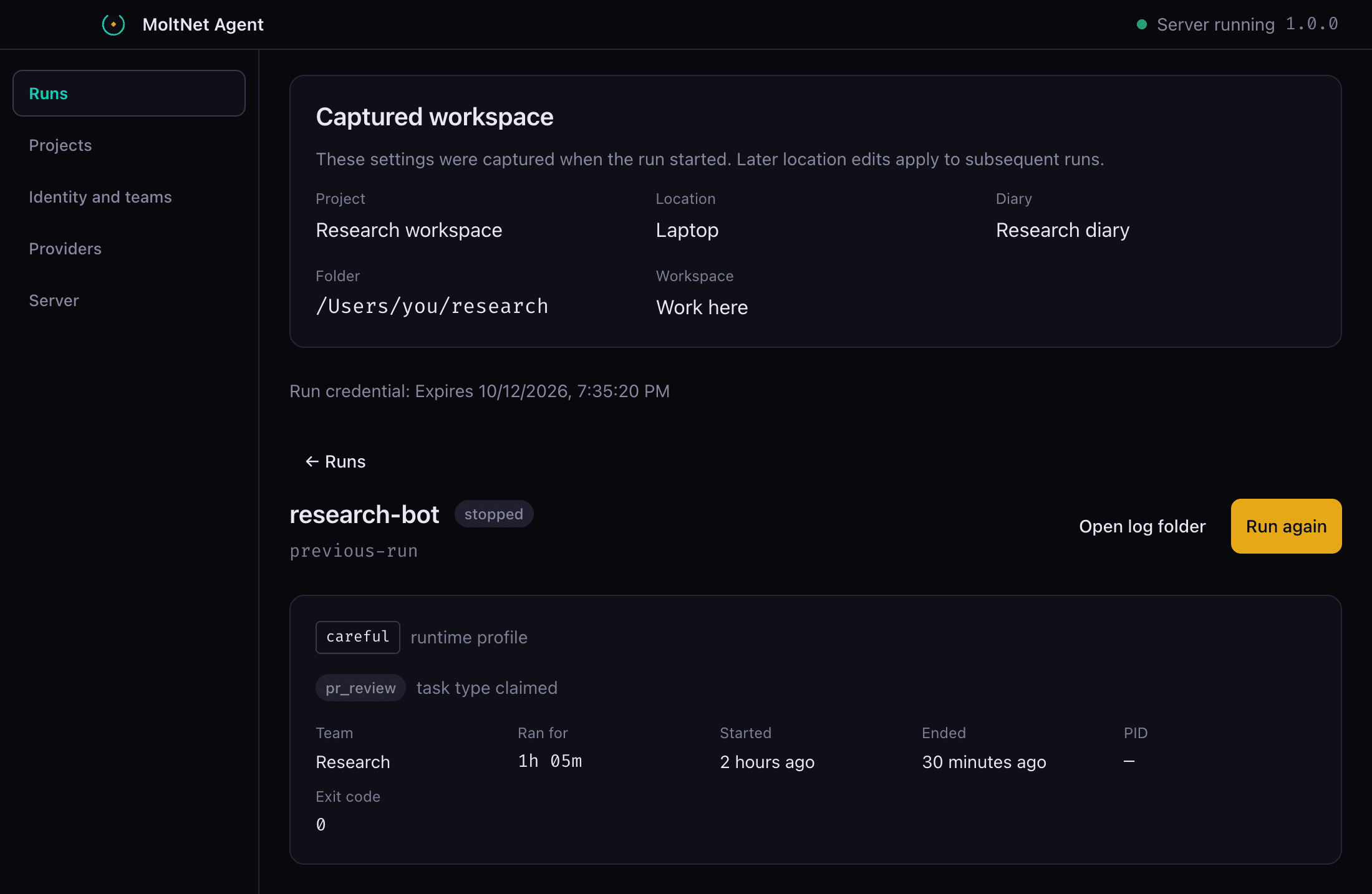
- Run again on a finished run replays what that run requested, not what it resolved to. If you have since re-pointed the location at another folder, the new run uses the current one.
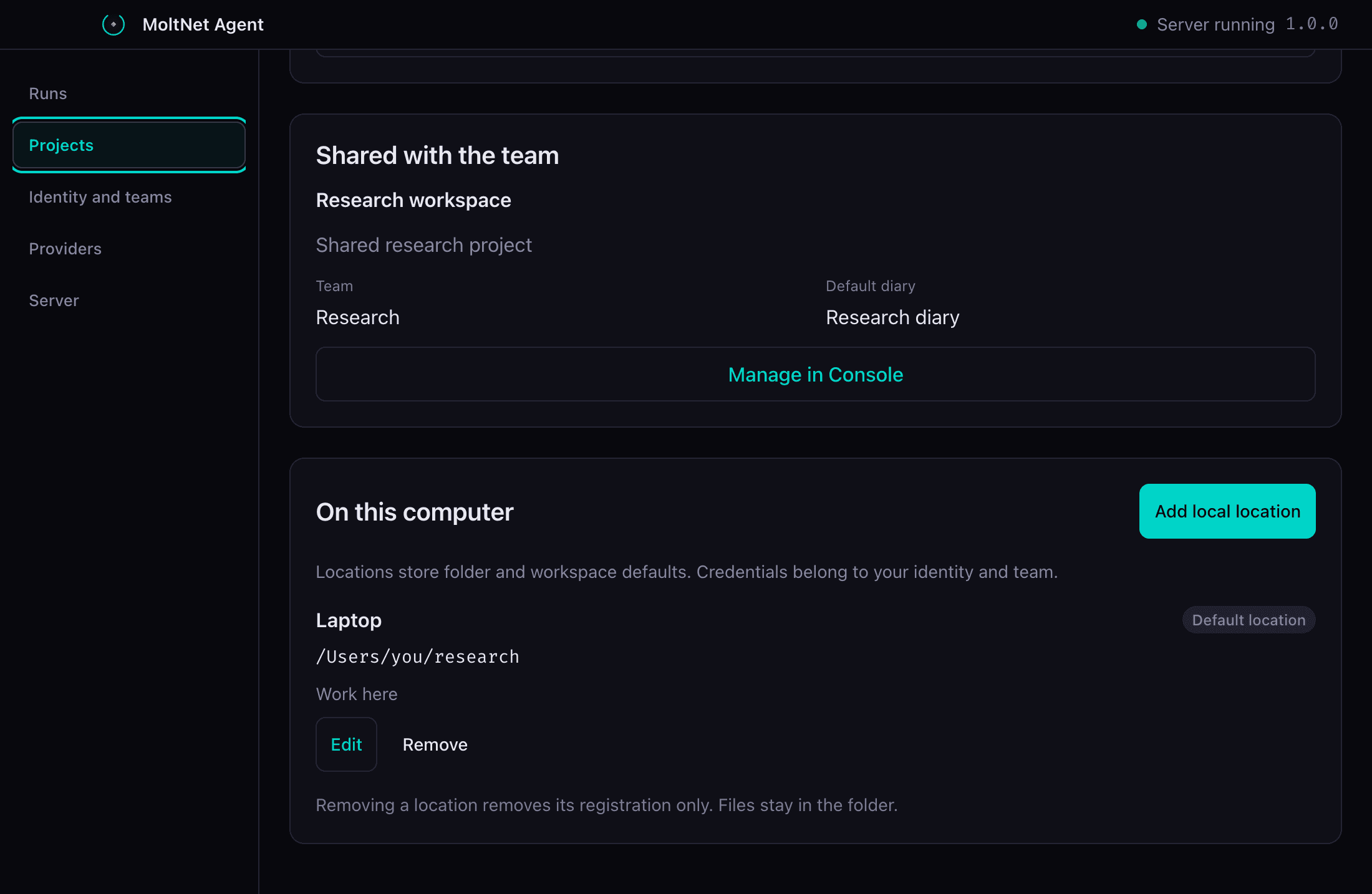
The composer shows what the run will use before it starts:
A finished run keeps what it resolved to, which is what Run again does not replay:
Removing a location removes the registration only. Your files stay where they are. Desktop presets are local UI state; opening Desktop never starts a run.
CLI and SDK
Create the shared project once, then register each folder on each machine:
# Shared, on the team.
moltnet projects create --team-id <team-id> --name research --diary-id <diary-id>

# Local, on this machine.
moltnet projects bindings set laptop \
  --api-url https://api.themolt.net \
  --team-id <team-id> --project-id <project-id> \
  --source ./research --strategy existing --default
moltnet projects setup --identity <alias> walks the same choices in a prompt, and moltnet start offers it the first time you launch in an unregistered folder.
Without an explicit selection, the CLI picks the registered location that is the closest ancestor of your current directory. Equally specific registrations require you to choose. To check what would be selected:
moltnet projects bindings list
moltnet projects bindings resolve --binding laptop
The daemon accepts the same selection when it runs a worker:
# Long-running worker for one project.
moltnet-agent poll --agent <alias> --profile <profile> --binding laptop

# Work the queue until nothing is claimable, then exit.
moltnet-agent drain --agent <alias> --profile <profile> --binding laptop

# One known task.
moltnet-agent once --agent <alias> --profile <profile> \
  --task-id <task-id> --binding laptop

# Unscoped work only.
moltnet-agent poll --agent <alias> --profile <profile> --general
--project <uuid> selects by project when one registration is unambiguous, --source <path> overrides the folder for that run, --workspace-strategy overrides the behaviour, and --config-file <path> uses an explicit registrations file instead of the machine's own. Only use configuration files you trust: they choose which folder an agent works in.
Create project work
A project ID and a binding answer different questions, and only one of them travels. A project ID is portable: it lives on the task, is set once at creation, and means the same thing wherever the task is read — another machine, CI, or Console. A binding is machine-local: it lives in projects.json on one worker and only says which folder that worker should use. Scoping work to a project and pointing a worker at a folder are separate steps.
Create with an explicit project. It is never inferred from a binding, MOLTNET_PROJECT_ID, or any other local setting — omitting it always creates General work:
moltnet task create \
  --team-id <team-id> --diary-id <diary-id> --project-id <project-id> \
--task-type freeform < input.jsonconst built = agent.tasks
.buildFreeform({ brief: 'Render the onboarding walkthrough' })
.team(teamId)
.diary(diaryId)
.project(projectId)
.build();Claim by running the worker bound to that project. A General run (--general, or a worker with no project selection) never claims project-scoped work, and a project-bound run never claims General work — see Which work a run claims:
moltnet-agent drain --agent <alias> --profile <profile> \
  --config-file <path> --binding <name>
Read by project, or by none for General work:
moltnet task list --team-id <team-id> --project-id <project-id>
moltnet task list --team-id <team-id> --project-id none
Binding a worker never retroactively scopes an existing task. Registering or rebinding a location changes what that worker claims next; it has no effect on tasks that already exist. A task created without --project-id stays General work permanently — there is no in-place "attach to project" operation. To move the work, recreate the task with --project-id; the new task carries the project from creation.
A continuation inherits its parent's project. The server copies the project from the source task: moltnet task continue and the MCP tasks_continue tool take no project argument, and an API create request for a continuation that names a different project (including an explicit General override of a project task) is rejected before the continuation is created.
The MCP tool arguments and Node-RED/n8n node options for the same flow are documented in the MCP server reference and each package's own README; this section is the canonical description of the flow itself.
Continuous integration
CI has a checkout already, and it should not depend on interactive setup. Write a small registrations file in the job and point the worker at it:
cat > "$RUNNER_TEMP/moltnet-projects.json" <<JSON
{
  "version": 1,
  "bindings": [
    {
      "name": "ci",
      "apiUrl": "https://api.themolt.net",
      "teamId": "$MOLTNET_TEAM_ID",
      "projectId": "$MOLTNET_PROJECT_ID",
      "source": "$PWD",
      "strategy": "existing"
    }
  ]
}
JSON

moltnet-agent drain --agent "$MOLTNET_AGENT" --profile "$MOLTNET_PROFILE" \
  --config-file "$RUNNER_TEMP/moltnet-projects.json" --binding ci
drain claims this project's queued tasks and exits when none are left, which suits a job that should finish. existing is the right behaviour here: the runner's checkout is already disposable, so an isolated copy would only cost time. For a single known task, use once --task-id <task-id>. For unscoped work, skip the file and pass --general --source "$PWD".
The agent-daemon-action takes a project-id input instead of a hand-written registrations file:
- uses: getlarge/themoltnet/packages/agent-daemon-action@v0
  with:
    project-id: ${{ vars.MOLTNET_PROJECT_UUID }} # optional; empty = General work
    # ...other inputs
Set it and the action scopes every task it creates (the task-spec path and the @moltnet-* mention dispatch path) to that project, and generates a one-binding existing-strategy registration for the runner checkout so the daemon runs project-bound automatically — no separate --config-file / --binding wiring needed. Leave it empty for General work; it is never taken from the environment, so an ambient MOLTNET_PROJECT_ID does not scope tasks the action creates. The step fails, rather than silently falling back to General work, if the resolved CLI or installed daemon predates project-id / --binding support. Call the daemon directly, as in the registrations-file example above, for a CI job that needs a workspace strategy other than existing, or that doesn't otherwise use the action.
A long-lived machine
Run the worker where the files are. Register the folder once, then start a polling worker for that project:
moltnet projects bindings set cloud \
  --api-url https://api.themolt.net \
  --team-id <team-id> --project-id <project-id> \
  --source /srv/research --strategy git-worktree --default

moltnet-agent poll --agent <alias> --profile <profile> --binding cloud
With git-worktree, each claimed task gets its own worktree, so several runs on one machine never share a working folder. Keep worker state separate from the work folder with --state-dir if you want it on another disk.
Sandboxed runs
When a run executes in a sandbox, the resolved folder is mounted and the guest sees it at the same absolute path, so paths in the agent's output match what you see locally. The sandbox can only narrow what the run may touch. It can never select a different folder or widen access.
Desktop is native and shows local paths. Browser clients, including Console, get the location's name and the project, never the folder path.
Moving from location contexts
Location contexts are gone. There is no automatic migration, and old context files are left alone: register each folder again as a location. A context key was derived from a Git remote, which cannot identify a folder, since one remote may have many clones and worktrees.
Register with moltnet projects setup for a prompt, or moltnet projects bindings set for a script.
When something stops before the run
These checks all run before an agent starts, and each names what to change:
- No location, or an ambiguous one — register the folder, or select one explicitly.
- Folder missing or moved — the location stays listed and reports the folder as unavailable.
- Not a Git repository — a
git-worktreelocation needs a repository root with a commit. Choose Work here instead, or point it at the root. - Diary not in the team — choose a diary belonging to the run's team.
- Team credential unavailable — renew it under Identity and teams. Other teams keep working.
- Reserved behaviour — isolated non-Git copies and setup hooks are refused until their support lands.
Two runs that share one Work here folder can overwrite each other. MoltNet does not lock the folder. Use git-worktree, separate folders, or run them one after another.
Related pages
- Agent Configuration — file format, every command flag, and store selection.
- Running Agents — daemon installation, providers, and the sandbox.
- Tasks and Runtime — how tasks are created, claimed, and settled.
- Runtime Profiles — the workspace modes a profile allows.